
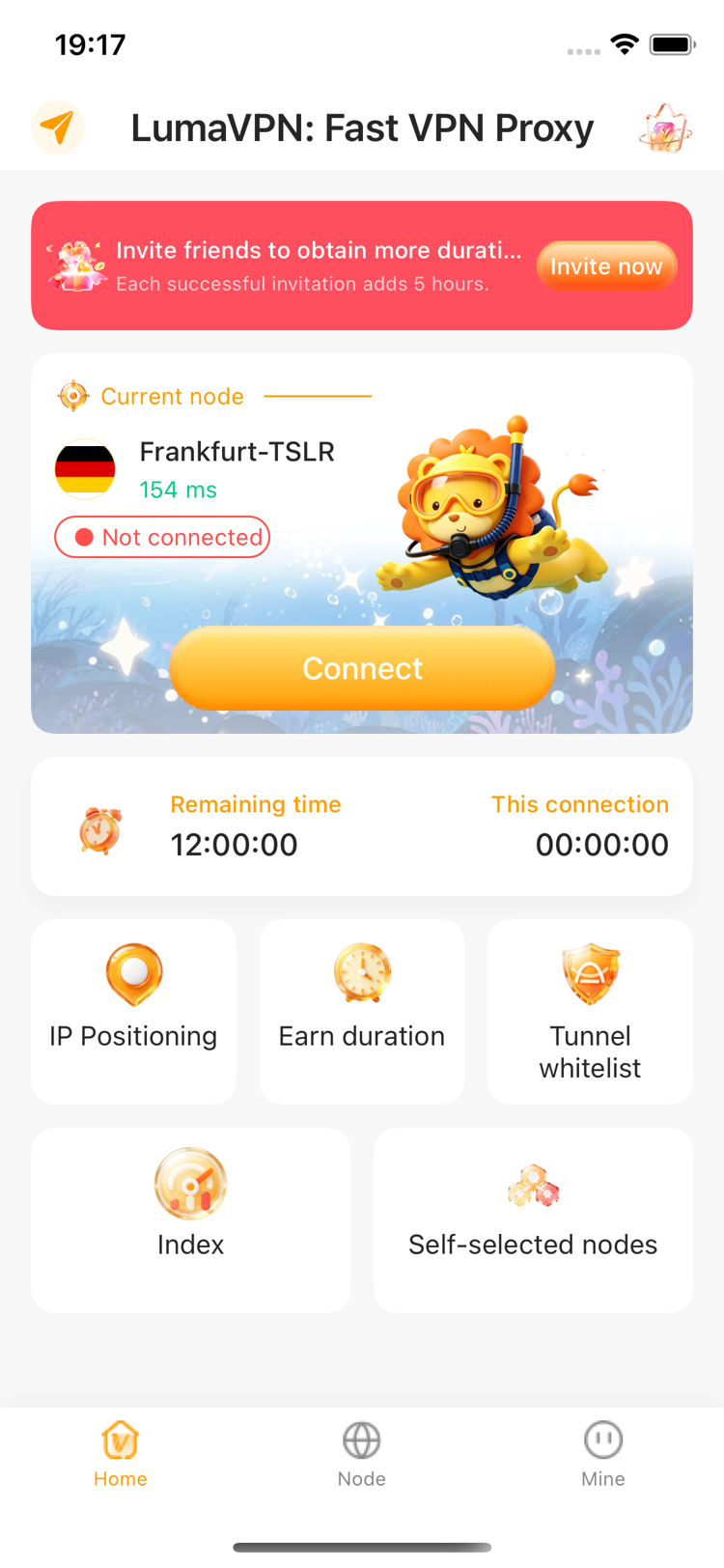

IP positioning
View current IP and network location details at a glance.

Built for everyday connections
Fast VPN access, smart node selection, and clear network insights in one focused iOS app.

Everything in reach
LumaVPN brings connection controls, useful network information, and flexible time rewards into a single clear interface.
View current IP and network location details at a glance.

Build available VPN time through daily check-ins and invitations.

Keep selected destinations outside the VPN tunnel when needed.

Review connectivity signals for popular online services.

Choose routes using node availability and measured latency.

Stay informed with clear status, duration, and connection feedback.
Connection clarity
Connection state, selected node, latency, and remaining time stay visible without digging through menus.
Technical support
For connection, subscription, account, or app issues, contact our support inbox. Include your device model, iOS version, and LumaVPN version for faster diagnosis.
[email protected]Share your device model, iOS version, app version, selected node, and a short description of what happened. Attach screenshots only after removing sensitive information.
Open iOS Settings, tap your Apple Account, then choose Subscriptions. Billing and cancellation are managed by Apple.
Use Restore on the LumaVPN Premium screen while signed in with the Apple Account used for the original purchase.
LumaVPN is designed for supported iPhone and iPad devices running iOS or iPadOS 15 and later.